Start with where you watch
If you want access away from home, shared libraries for people on other networks or a dedicated media-server setup, Plex is the closer fit. Reelloft 0.2.1 has no remote-access or household-account system. The computer running Reelloft must stay awake and connected while another screen plays its files.
For watching files at home, both products have a free starting point. Plex’s current personal-media plans describe local-network streaming without a subscription. Reelloft’s free access includes library browsing, direct or remux playback in the phone browser, and a five-minute preview of each TV cast. Do not choose on the assumption that Plex charges for every local stream.
Compare the parts that change your day
| Part of the workflow | Reelloft 0.2.1 | Plex |
|---|---|---|
| Library host | A desktop app on macOS, Windows or Linux | Plex Media Server on a supported computer or NAS |
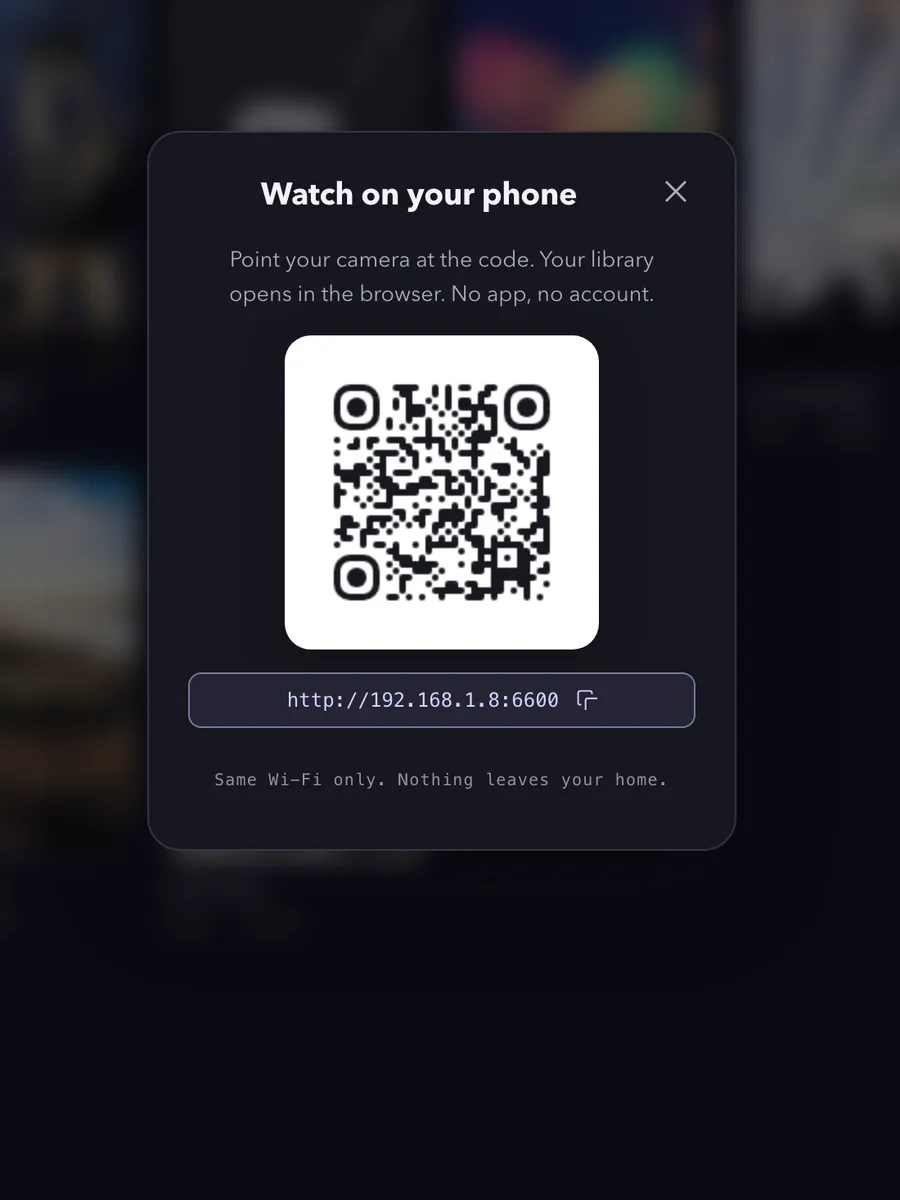
| Phone access | Scan the computer’s QR code and use the browser | Plex clients and the Plex Web App |
| Accounts | No Reelloft account; license validation runs locally | Normal setup uses a Plex account to claim and manage the server |
| TV playback | A compatible Chromecast, classic AirPlay or DLNA receiver | Plex TV clients and supported casting paths |
| Away from home | No remote access | Remote Access, subject to the current playback/pass requirements |
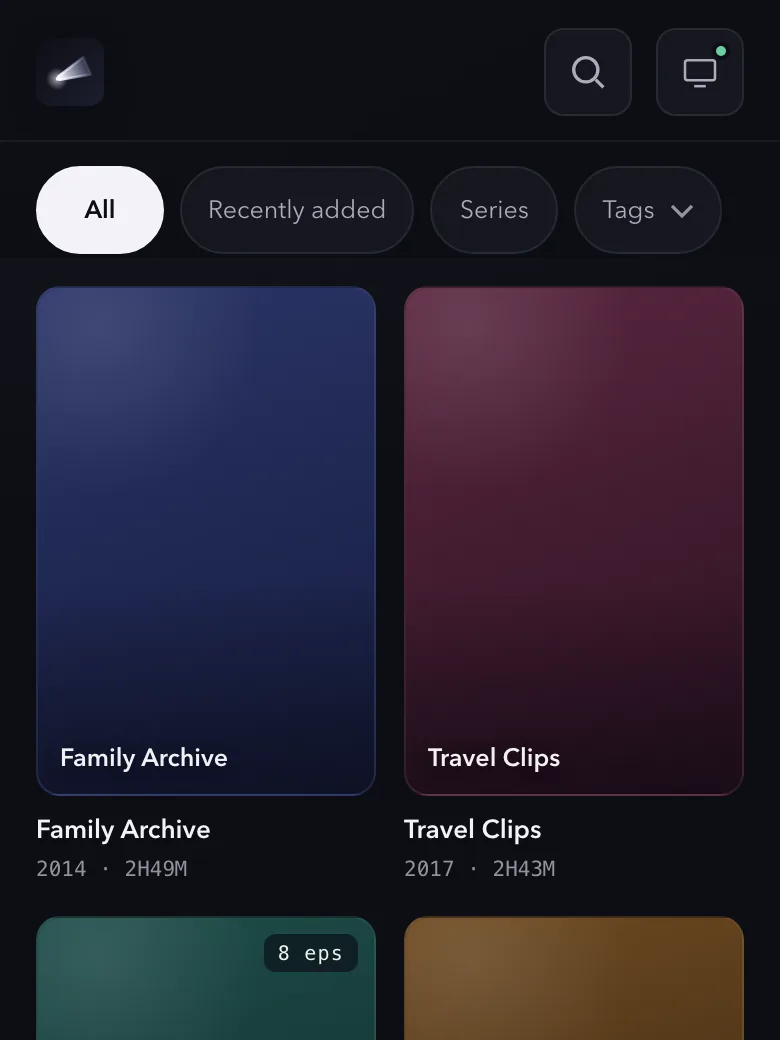
| Titles and artwork | Derived locally from the files | Metadata matching and configurable local media assets |
| Payment model | One-time Reelloft license; no subscription | Free local playback, plus optional passes and premium features |
Plex’s Web App documentation describes both hosted and server-bundled browser access. A hosted Web App can connect directly to a local Plex server; it does not mean the media must travel through Plex’s website. Its metadata settings and local-media assets explain the two artwork sources.
The account row describes the normal setup, not every advanced configuration. This comparison does not recommend weakening authentication to make either product resemble the other.
Check the receiver before relying on conversion
Reelloft’s current conversion paths differ by destination. For a Chromecast target, a file classified as needing remux or transcode can be processed on the computer before playback. For DLNA and classic AirPlay, version 0.2.1 sends the source directly; the receiver must handle it. The phone browser has its own direct/remux/transcode path.
An MKV extension alone does not establish compatibility. Video codec, audio codec, receiver model and stream format matter. Reelloft also has no selectable audio-track or subtitle menu in this version. If your library depends on a particular language track, subtitles or surround-sound arrangement, check that actual combination during the preview.
Classic AirPlay support does not include AirPlay 2/HomeKit pairing. A receiver that requires that pairing can reject playback even when it appears in a device list. The computer-to-TV guide explains the separate connection and playback checks; the MKV audio guide handles picture-without-sound cases.
Understand the free and paid boundaries
A Reelloft license is $15 once. It removes the TV-cast timer and unlocks phone playback that needs transcoding. Direct and remux phone playback are free. The five-minute TV-cast preview includes its supported conversion path, so test the receiver and file before buying. Pause, stop and seek are not purchase gates; their operation still depends on the receiver.
Plex’s remote-playback requirements say that affected remote video playback is covered when the server administrator has Plex Pass, or when the viewer has Plex Pass or Remote Watch Pass. A viewer does not necessarily need a separate pass when the server administrator already has Plex Pass. Those remote rules do not turn ordinary local playback into a subscription requirement.
Plex sources were checked on 9 September 2026. Recheck Plex’s own plans for current terms. The comparison describes Reelloft 0.2.1; it does not promise a future feature or compare a temporary competitor price.
Try the folder without migrating the library
Choose a folder of videos you already keep on the computer. Reelloft reads those files; you do not need to move them out of their existing folder to test it. Keep your existing player available while you check the phone and TV route you intend to use.
Reelloft does not import a Plex database, watched-state history, collections or metadata edits. Reading the same folder is different from migrating the library’s records. If those records are central to your routine, include that cost in the decision.
The QR dialog and phone-library images on this page use demo content. They illustrate the interface, not a test on a real TV. Scan the code in your own running app when connecting a phone.
Keep the network promise specific
Media is served on your local network. Reelloft has no cloud media library and does not send media to an online metadata service. Downloads, updates, checkout and license delivery use internet services; license validation itself runs locally. Website analytics are described in the privacy policy.
Use the download page to try Reelloft with one representative file and the screen you actually watch. If it plays cleanly, test the next difficult file before treating the whole collection as compatible.